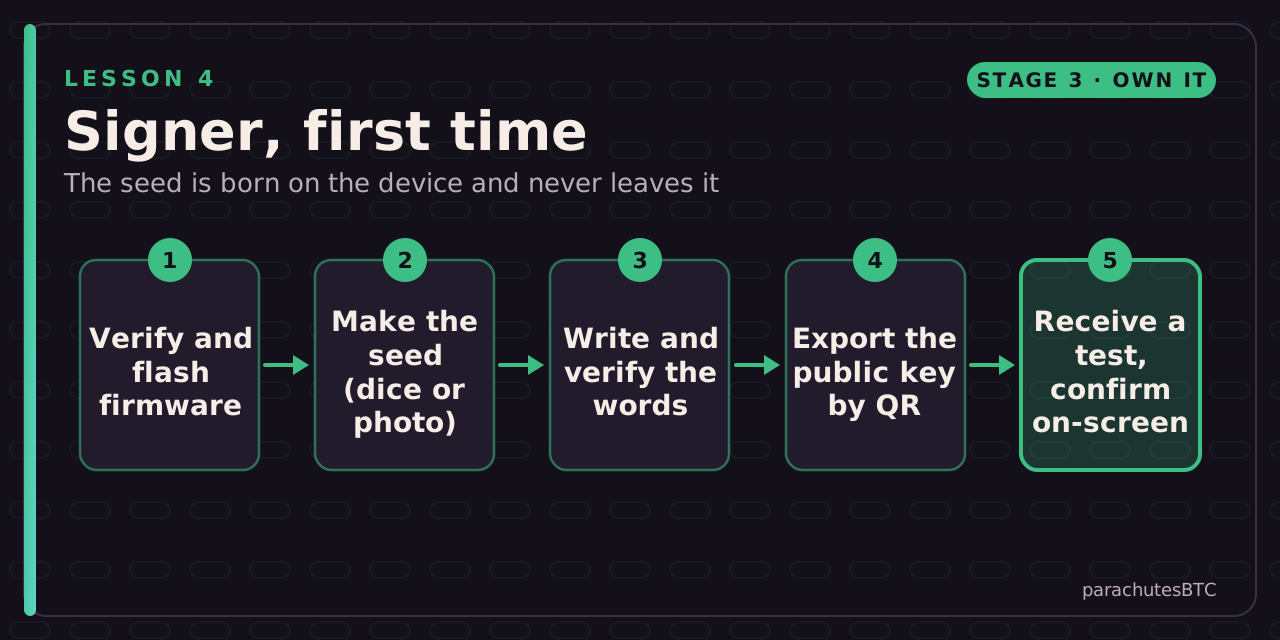
Two tracks, one routine: build or verify the device, generate the seed on it with your own entropy, write and verify the words, export the public key by QR, and test in and out while confirming on the device screen.
Before you start: A SeedSigner kit or a Blockstream Jade bought from the maker or an official reseller, a computer or phone, casino dice (optional), pen and paper.
IN THIS LESSON · 4 OF 13
BY THE END YOU WILL BE ABLE TO ANSWER
What does it mean that SeedSigner is stateless?
Why export the public key by QR rather than plugging the signer in?
Where should the seed be generated?
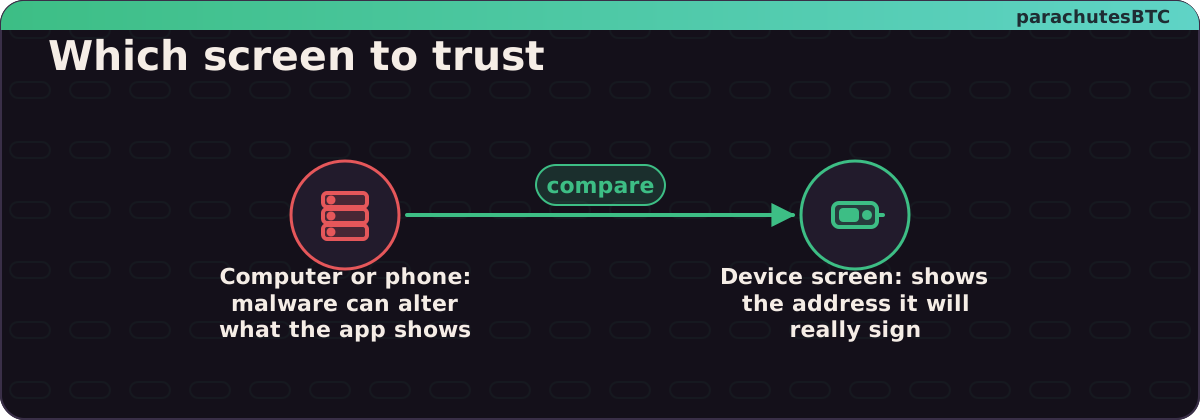
What do you check on the signer's screen before approving a send?
Receive a small test to your new signer, then send it back. How many confirmations did your wallet show before it called the receive final?
Then prove it: a 4-question quiz · a challenge. The lesson marks itself complete at 100%.
After this lesson you can: hold bitcoin on keys that have never touched an internet-connected computer, and verify a receive address on a screen malware cannot change.
Two tracks
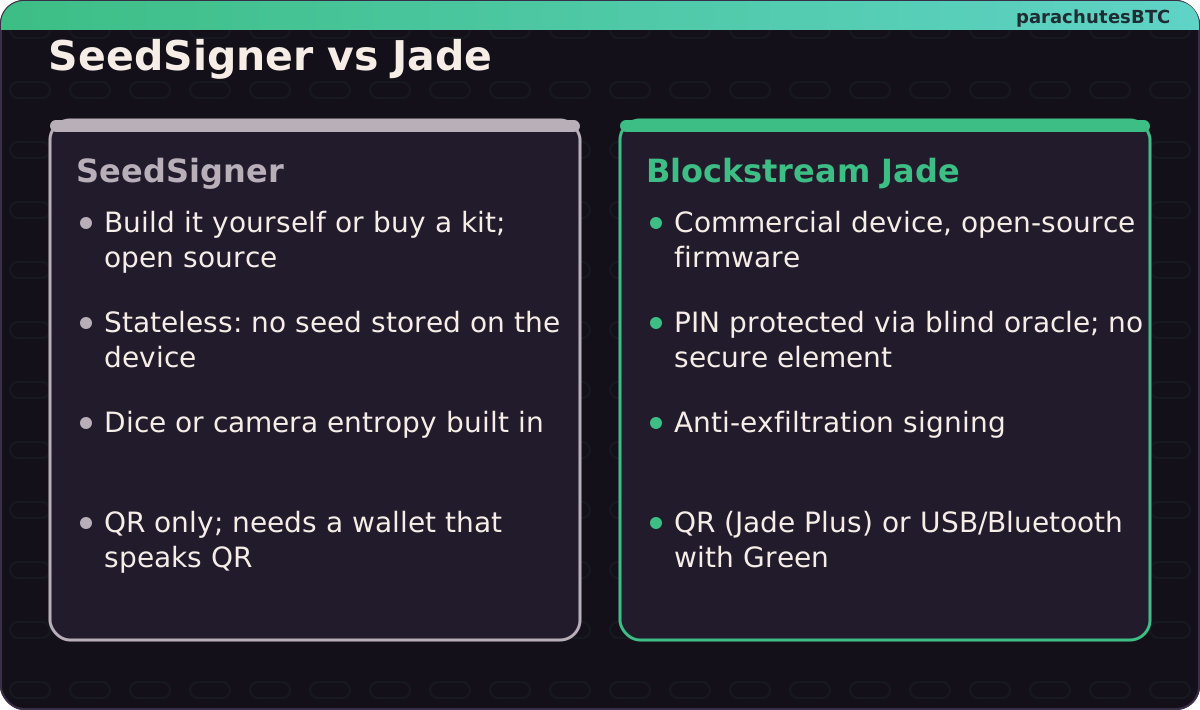
SeedSigner is an open-source signing device you build from a Raspberry Pi Zero, a camera and a small screen, or buy pre-assembled from community sellers. It is stateless: it holds no seed when powered off. You load the seed each time by scanning a SeedQR, typing the words, or generating a new one from dice or a photo. Everything in and out is a QR code. There is no company, no account, no USB.
Blockstream Jade is a small commercial device with open-source firmware. The Jade Plus has a camera for fully air-gapped QR use; the original Jade can also work over USB or Bluetooth with Blockstream Green. Jade has no secure element chip; instead it protects the PIN with a "blind oracle" server, and it offers anti-exfiltration signing, which matters after lesson 3.
Either device does the one job that matters: the private key lives on a machine that is never online, and you confirm what you are signing on its own screen.
Build Your Own Bitcoin Wallet with SeedSigner+ (Step-By-Step Guide) · BTC SessionsWatch on YouTube ↗JADE PLUS Bitcoin Wallet: Worth It? TUTORIAL + REVIEW · BTC SessionsWatch on YouTube ↗
Before you start
Two air-gapped routes. Same job, different trade-offs. Examples, not endorsements.
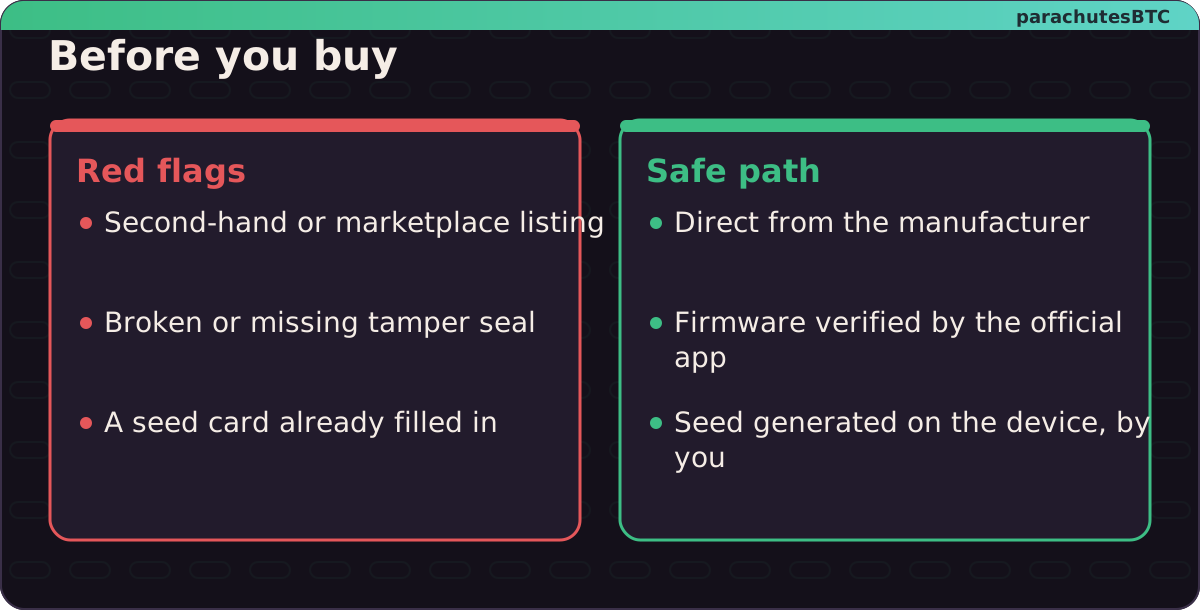
Buy from the maker or a reseller the maker lists, never second-hand. If anything arrives with a pre-printed seed phrase, it is a scam: stop and contact the maker. For a SeedSigner kit, you will download the firmware image yourself and can verify its signature (lesson 7); that is a feature.
Where the device comes from matters as much as how you set it up.
Steps
Check your work
Imagine the device is lost or broken. Could you recover from the paper alone? With SeedSigner you can test this at any time: it has nothing to reset. With Jade, test with a small balance before it matters.
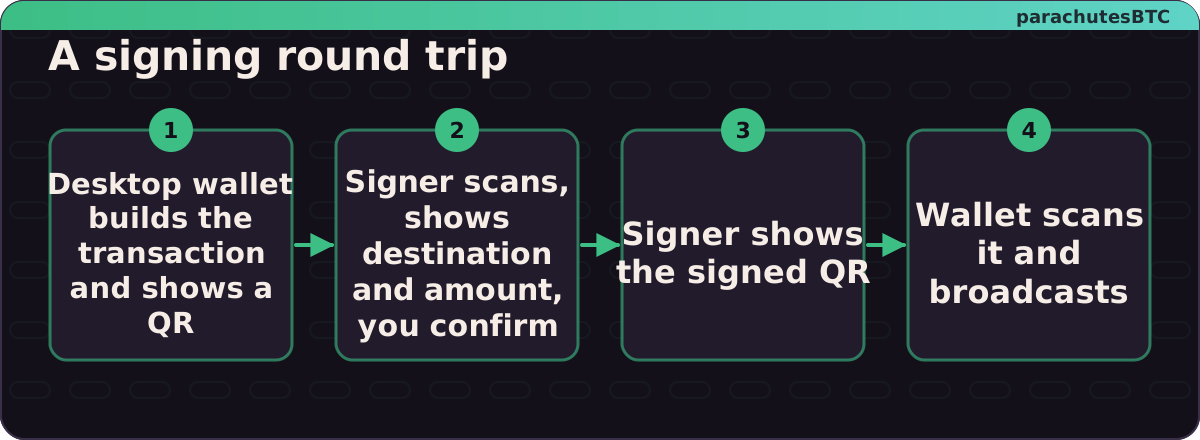
The round trip. Keys never leave the right-hand side.
Unlocking ULTIMATE Security: Air-Gapped Bitcoin Transactions with Blockstream Jade! · BTC SessionsWatch on YouTube ↗
Trust the small screen, not the big one.
MINI CHALLENGEThe test
Receive a small test to your new signer, then send it back. How many confirmations did your wallet show before it called the receive final?
confirmations
Any number you saw is right; most wallets settle on one to six.
You have now done a full round trip on keys that were never online.
01It stores no seed when powered off, so you load the seed each session and the paper is the whole backupNothing to steal from the device itself; everything to protect on paper.
02Because the signer never connects to the computer, so malware has no path to the keysAir-gapped means the only link is a picture.
03On the signer itself, ideally with your own dice or camera entropy addedThe device's job is to make and keep the secret; your job is to add randomness you can vouch for.
04The destination address and amount, compared with what the computer showedTrust the small screen, not the big one.